A softly lit blue Wi-Fi symbol on a dark navy background.

Cloud solutions

BayControl Cloud

Your sites.
One clear view.

For car washes, car dealerships,
convenience stores and cold storage facilities.

Built around your equipment

Connect what you already have.

In most cases, new equipment is NOT required.Add sensors or interfaces only where needed. Bring your locations together in one place.

Sensor monitoring

Keep temperatures, pressures and changing conditions in view.

Site controls

Access connected equipment and permitted controls from one dashboard.

Actionable alerts

Know what needs attention, and which location needs it.

Multi-site visibility

See the big picture, then open a site for the details.

BayControl, wherever you work

Your sites. On your screen.

The big picture at your desk. The details with you on site.

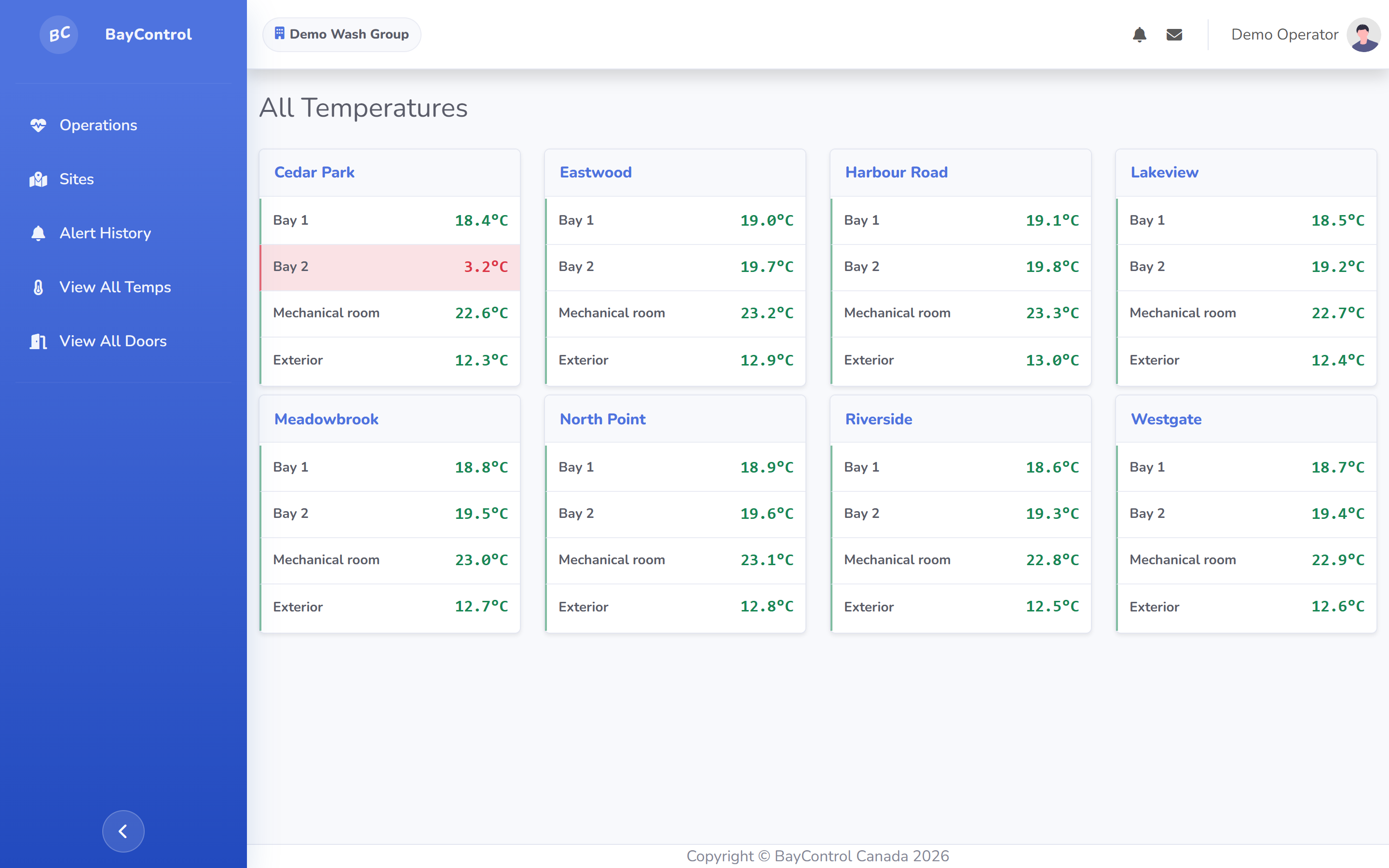
BayControl temperature readings in the desktop dashboard, displayed in a laptop frame.
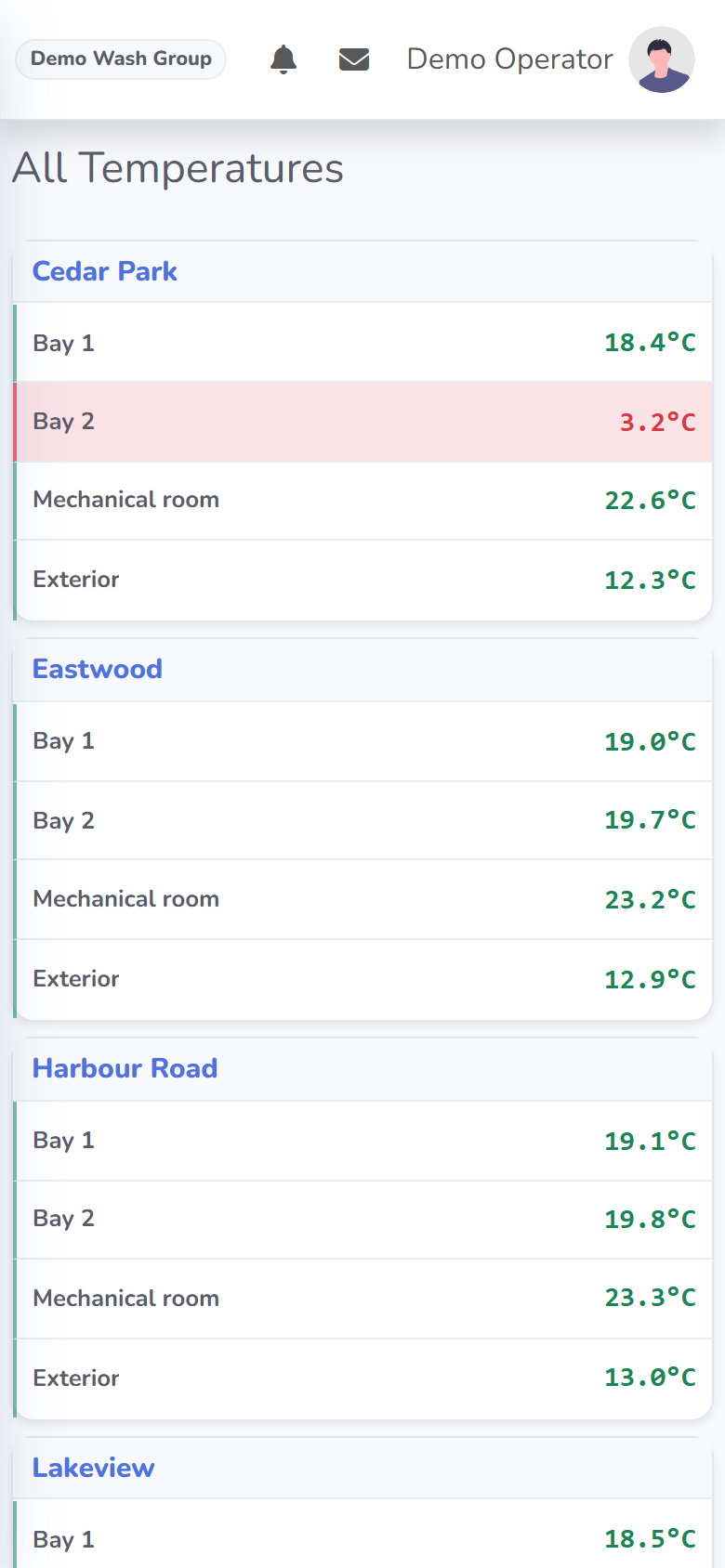
BayControl temperature readings in the mobile dashboard, displayed in a phone frame.

One location or a growing network

A clear view of your operation.

See what needs attention, understand conditions at each site, and bring remote equipment access into the same workflow.

Multi-site visibility

Every location in view.

Spot alerts and offline sensors across your locations. Open a pin to see what is happening at that site.

Explore the map
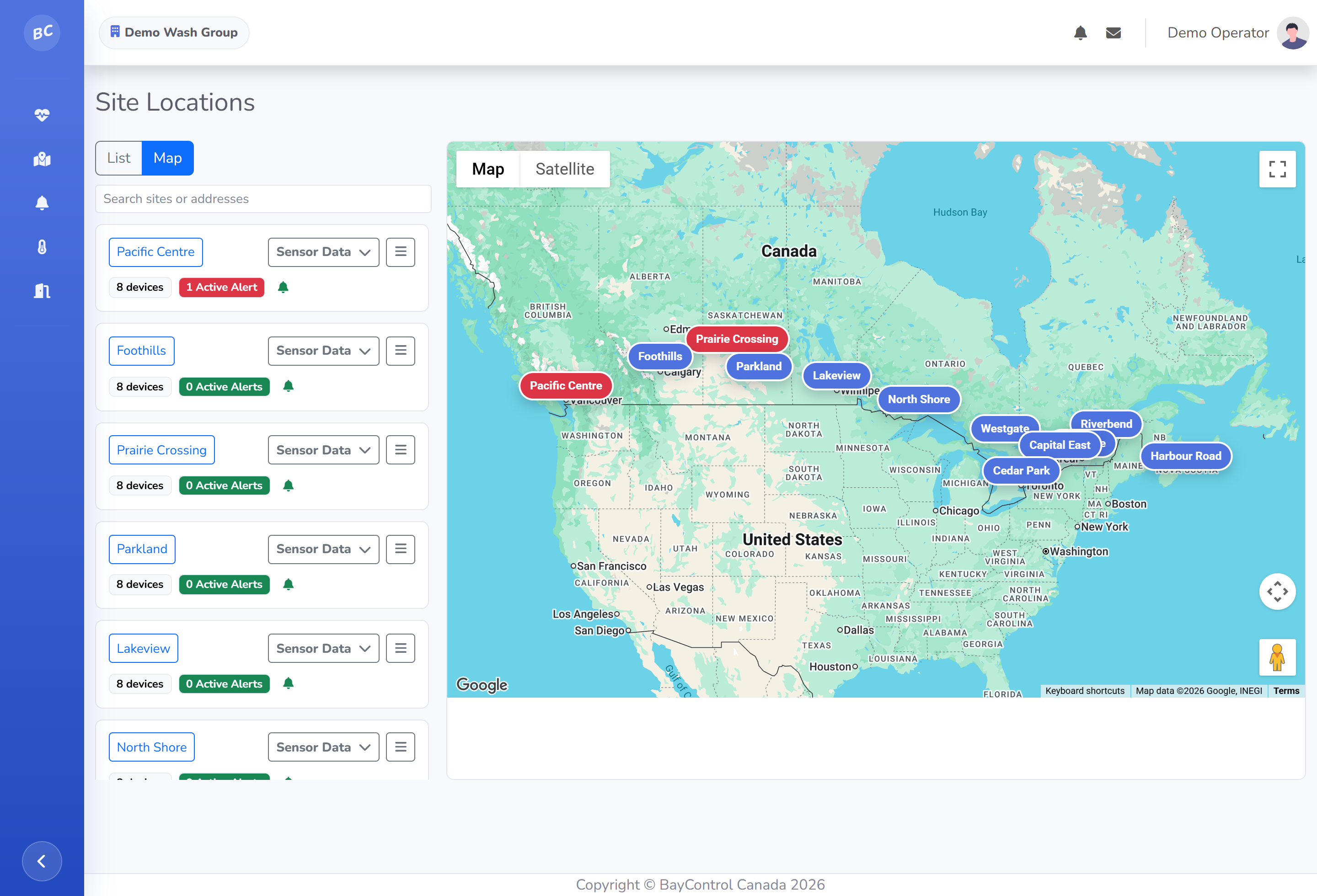

Full BayControl map page with anonymous sites.

Site conditions

See what is coming.

Weather, sensor readings and equipment trends in one view. Explore a fully connected site, including previews of future monitoring modules.

Explore the full site
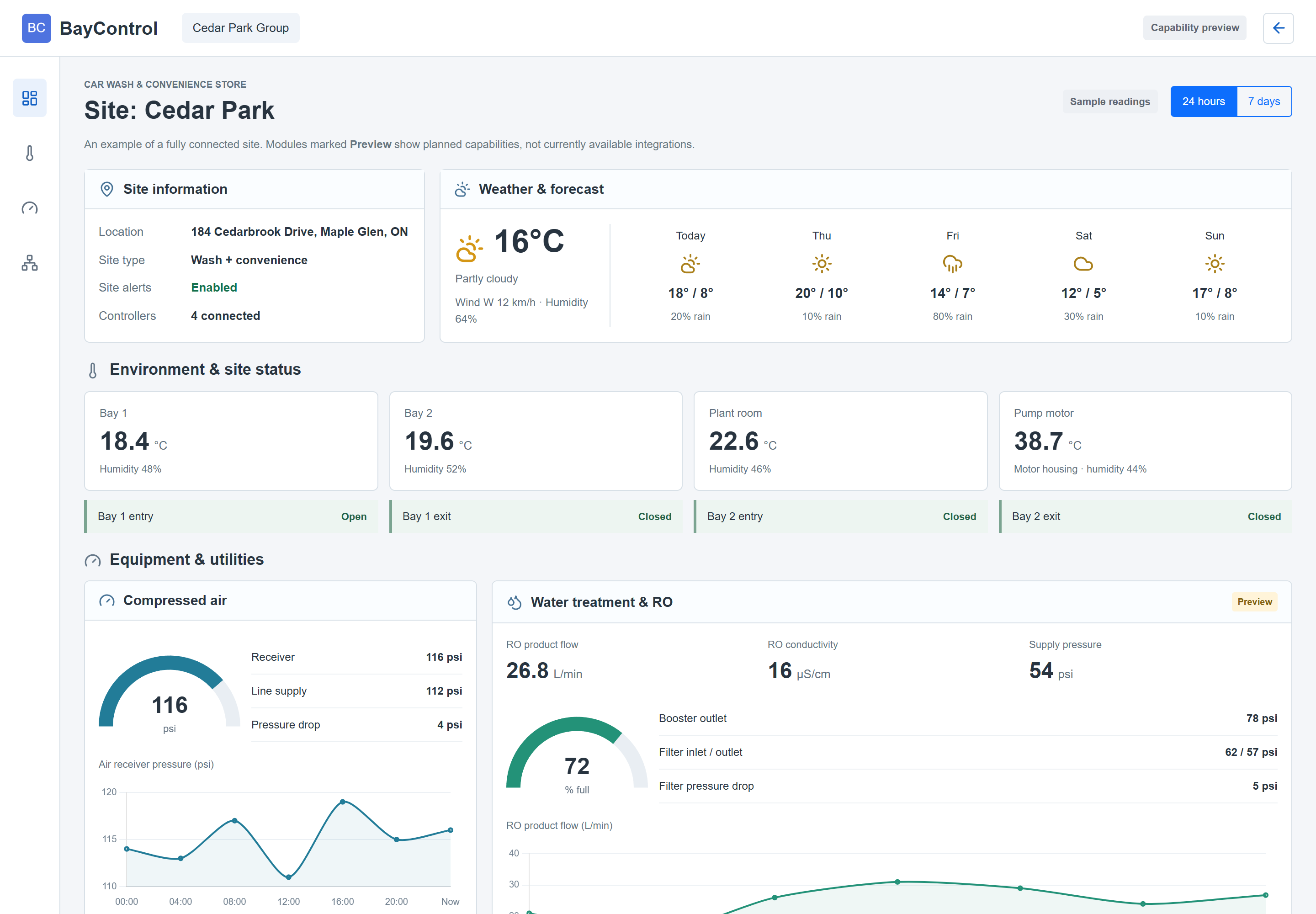
Site capability preview with weather, temperature and humidity readings, air-pressure gauges, water treatment and sample history charts.

Alerts & operations

Know what needs attention.

Active alerts, offline devices and stale readings, organized by customer and site for your team.

See Operations
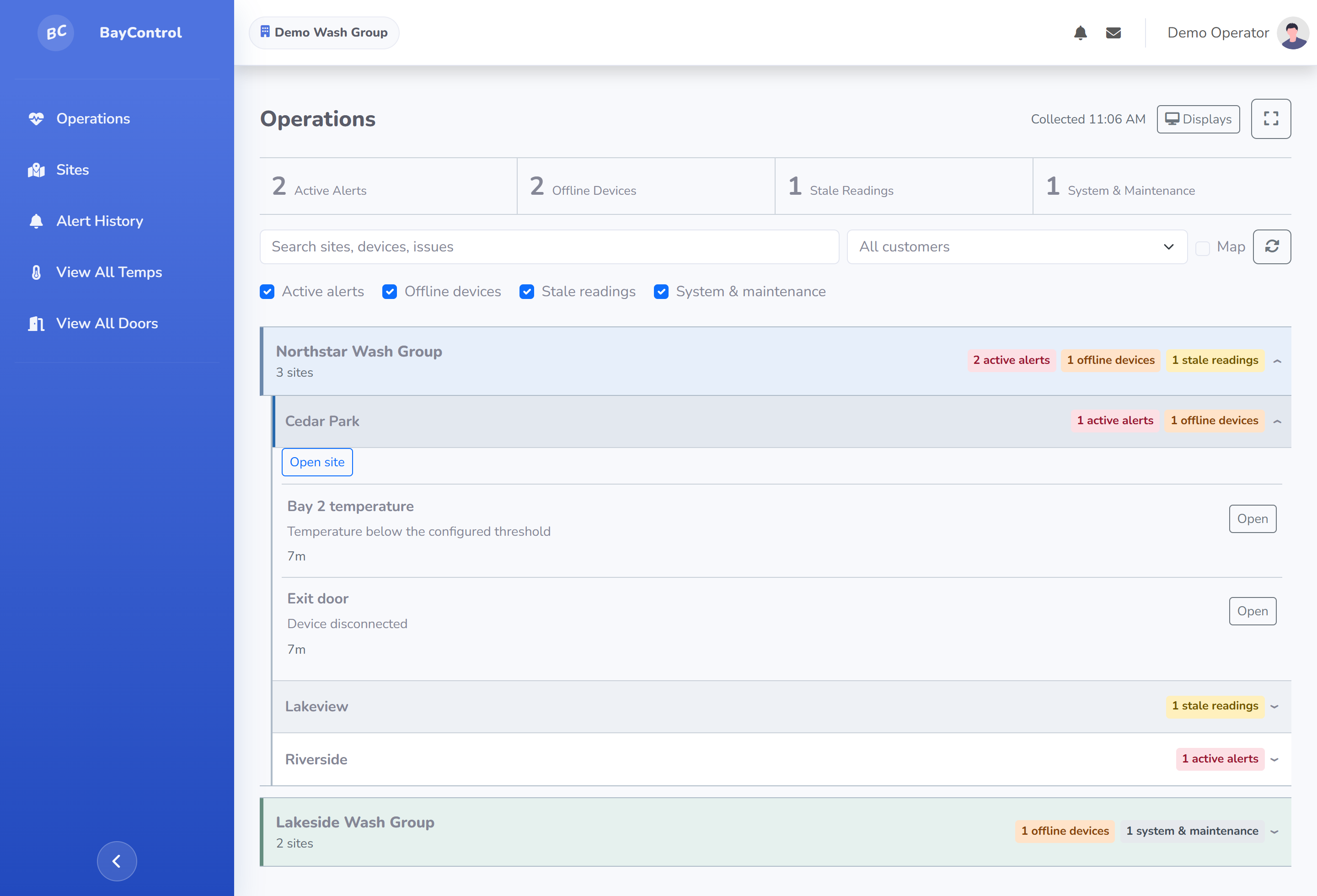
Full Operations dashboard grouping issues by customer and site.

Wash Connect

Your equipment. Within reach.

View configured equipment screens and access permitted site controls from the same dashboard.

See remote access
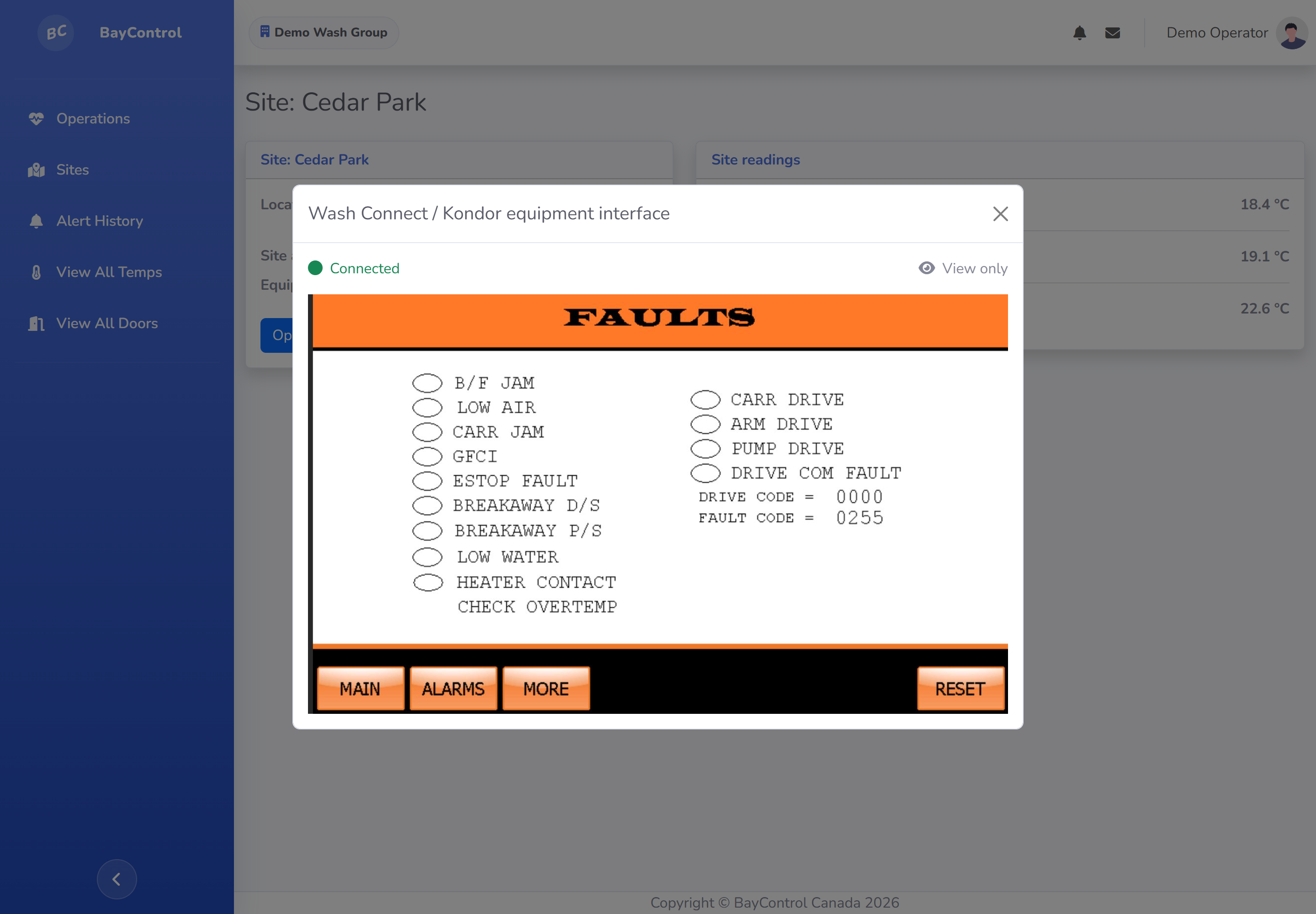
Kondor equipment interface open inside the BayControl site dashboard.

Built around your sites

The right tools for each location.

Bring monitoring, controls and administration together without requiring every site to have the same equipment.

Monitoring & response

Environmental monitoring

Temperature, humidity and supported air-quality sensors, with current readings and history.

  • Site and all-sensor views
  • Configurable thresholds
  • Historical trends

Alerts & operations

Focus on the equipment that needs attention, with alert history and site-level escalation settings.

  • Active alerts and offline tracking
  • Stale-reading visibility
  • Tablet and wall-display views

Site weather

See local weather conditions alongside your sensor readings and equipment status.

  • Current conditions
  • Daily highs, lows and precipitation
  • Forecasts for each location

Equipment & utilities

Connect more of your site. Modules marked Preview illustrate planned integrations, subject to equipment compatibility.

Air pressure monitoring

Keep track of compressed-air supply and individual pressure points without replacing your compressor or site equipment.

  • Multiple named pressure sensors
  • Current readings and pressure history
  • Site-level visibility

Water treatment

Preview

A planned view of RO performance and the water systems that keep your site operating.

  • RO monitoring and tank levels
  • Water temperature, flow and pressures
  • Filter pressure drop and system trends

Voltage & current monitoring

Preview

Planned electrical monitoring to help identify unusual loads and changes in equipment operation.

  • Voltage and current trends
  • Pump and motor operating patterns
  • Configurable warning thresholds

Flood & pit warnings

Preview

Planned leak and level monitoring to warn your team when water is somewhere it should not be.

  • Flood and leak detection
  • Pit and sump level monitoring
  • High-level and overflow warnings

HVAC integrations

Preview

Planned monitoring and controls for compatible heating, ventilation and cooling equipment.

  • Equipment control and status
  • Supply and return temperatures
  • Delta-temperature trends

Site controls & access

Site controls & schedules

Authorized access to compatible site equipment, with scheduling for supported controllers.

  • Shared or custom hold-open schedules
  • Site time-zone awareness
  • Site-specific control permissions

CounterViewer

Local bay information and permitted site controls, right where your operators need them.

  • On-site touch-screen display
  • Multi-bay layouts
  • Assigned service contacts
Try the display demo

Wash Connect

Reach a configured equipment interface directly from its site in BayControl.

  • Remote equipment screens
  • View-only sessions
  • Permission-based site controls

Network & administration

Network visibility

Bring compatible network equipment into the site view alongside your monitoring devices.

  • Access-point and switch status
  • Disconnected-device visibility
  • Available firmware updates

Users & permissions

Give each person the visibility and administrative access their role requires.

  • Customer, area and site scope
  • Role-based permissions
  • Account administration

Inventory & configuration

Organize installed devices and tailor available features to each customer's sites.

  • Device assignment and naming
  • Customer and site feature settings
  • Historical-data retention

Planning your setup

Good questions.
Clear answers.

Talk about your setup

No. A location can use its configured Wash Connect interface without sensors or site controls. Monitoring hardware and other supported modules can be added as needed.

In most cases, new equipment is not required. BayControl is designed to connect the equipment you already operate, whether at a car wash, car dealership, convenience store or cold storage facility. We review compatibility and add sensors or interfaces only where needed. Specific features depend on the installed controllers, sensors and network.

Yes. Start with the capabilities each location needs and add supported sensors, equipment access, site controls or displays later. Feature availability can be configured by customer and site.

Contact our team with your locations, equipment and monitoring priorities. We can review compatibility, identify the modules you need, and plan installation and access for your team.

No equipment IP address, equipment password or software installation is needed by the user. Sign in to BayControl and open an authorized site's configured Wash Connect interface. Equipment connectivity and connection credentials are set up by an administrator.

Yes. Access can be scoped by customer, area and site, with permissions for readings, history, editing, equipment controls and administration.

Yes. The dashboard works in a browser, Operations has interactive and display views, and CounterViewer provides an on-site screen for compatible installations.

BayControl distinguishes disconnected devices from readings that are simply older than expected. Available readings and their age remain visible. Remote access requires a working site connection; behaviour of local equipment during an outage depends on the installed controller and configuration.

Yes. Configure site alert recipients and escalation timing, along with supported device thresholds and input alerts. Your team can review active issues and alert history in the dashboard.

Yes. Enable site weather to see current conditions and the coming days' temperatures and precipitation alongside your site information. It helps your team plan for cold weather, rain and changing conditions.

BayControl supports measurement units across its monitoring modules, not just temperature. Metric and imperial display options are available where supported, with unit choices depending on the type of reading and the installed module.

Yes. Supported sensors have history views, and historical-data retention can be configured for each customer. The available detail and retention period depend on the sensor type and your configuration.

Talk with our team

Let's connect
your locations.

Tell us about your equipment, sites and monitoring needs.

Talk to our team